Online Fee Payment
Pay your Application or Semester fees securely via UPI — Google Pay, PhonePe, Paytm, or any UPI app.
1
Fee Details
2
Scan & Pay
3
Confirmation
Step 1 of 3
Select Fee & Enter Details
Application / Registration Fee
One-time fee for submitting your application to KNPIEMS
Semester / Tuition Fee
Semester fee payment as per the approved fee structure
🔒 Secure UPI Payment
🇮🇳 NPCI / UPI Certified
✅ Instant Confirmation
Step 2 of 3
Scan & Complete Payment
Payment Summary
Student Name—
Program—
Fee Type—
Roll / App No.—
Total Amount₹ —
₹0
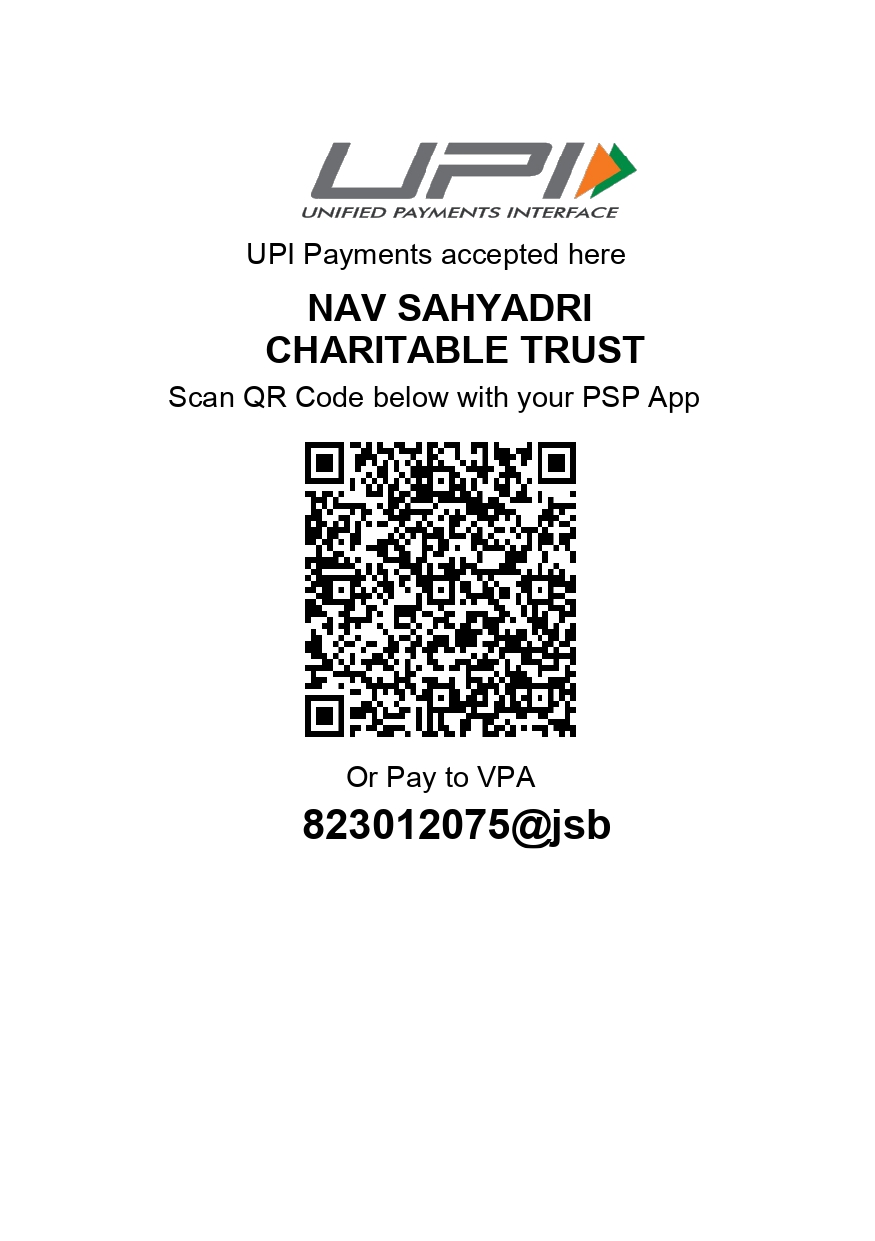
Or pay directly to UPI ID:
823012075@jsb
📱 Google Pay
📱 PhonePe
📱 Paytm
📱 BHIM
🏦 Any UPI App
- 1Open any UPI app on your phone
- 2Tap "Scan QR" and scan the code above, OR search UPI ID manually
- 3Verify the payee name shows KNPIEMS / Nav Sahyadri
- 4Enter amount ₹0 and complete payment
- 5Note your 12-digit UTR / Transaction ID from the success screen
✅ Paid? Enter Transaction Details
After successful payment, enter your UTR / Transaction Reference Number below. You'll find it on the payment success screen or in your UPI app transaction history.
Found in your UPI app under transaction history
Upload screenshot from your UPI app for faster verification
✓
Payment Submitted!
Your payment details have been received. A confirmation email with your receipt has been sent to . Your reference number is — keep this for any queries.
📌 What happens next?
Our accounts team will verify your payment against bank records within 1–2 working hours. You'll receive a final verified receipt by email once confirmed.
Our accounts team will verify your payment against bank records within 1–2 working hours. You'll receive a final verified receipt by email once confirmed.